

This article will explain how to build an itinerary in HubSpot for round trips, overnight trips, and shuttle trips.
STEP 1 - Go to the Deal
Navigate to the deal of your choice. (Sales → Deals → Select the deal of your choice.)
STEP 2 - Complete Trip Details Section
On the left side, scroll down to the Trip Details section.
Make sure that you complete all of the details in that section, including:
- Trip Type
- Vehicle Count
- Vehicle Type(s)
- Passenger Count
- Complete Itinerary - If Applicable
- OPTIONALLY: Company Name, Client Comments
- If Drop/Pick - please view that article
Make sure that you SAVE any changes made to this section.

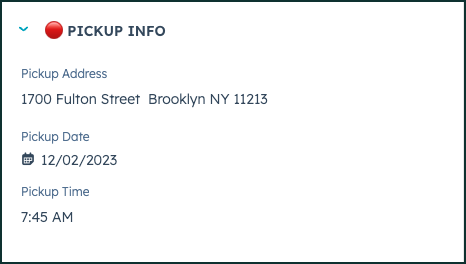
STEP 3 - Review / complete the 🔴PICKUP INFO section
Scroll down on the left side to reach the 🔴PICKUP INFO section.
 This section will be auto-populated from any SBG Web leads that drop into HubSpot automatically. This will always be the first section of your quote - labled as "Depart Time" on your quote. You may change the details, if needed, and then make sure you save any changes you make.
STEP 4 - Review the 🔴🔴 Section
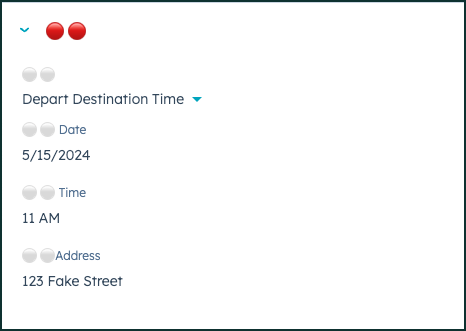
Scroll down to the 🔴🔴 section.
If you need to add a stop or a direction in between the pickup information and the destination information, you may complete the fields here. This will appear as the second line on the quote. If you leave this blank, it will be omitted from the quote.
- ⚪️⚪️
- ⚪️⚪️ Date
- ⚪️⚪️ Time
- ⚪️⚪️ Address
STEP 5 - Review the 🔴🔴🔴DESTINATION INFO section
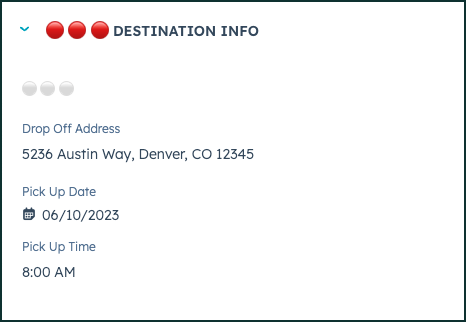
Scroll down to the 🔴🔴🔴 DESTINATION INFO section.
This information will be auto-populated from any SBG Web Lead, and is typically the second stop on a one-way transfer. If you need to adjust this as the third line on the - ⚪️⚪️⚪️
- Date
- Time
- Address
STEP 6 - Review the 🔴🔴🔴🔴 section
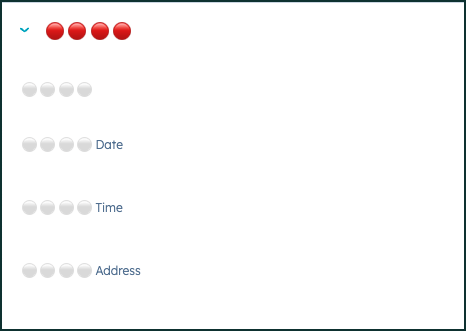
Scroll down to the 🔴🔴🔴🔴 section.
If you need somethig as a fourth line on your itinerary, you'd enter it in here.
- ⚪️⚪️⚪️⚪️
- ⚪️⚪️⚪️⚪️Date
- ⚪️⚪️⚪️⚪️Time
- ⚪️⚪️⚪️⚪️Address
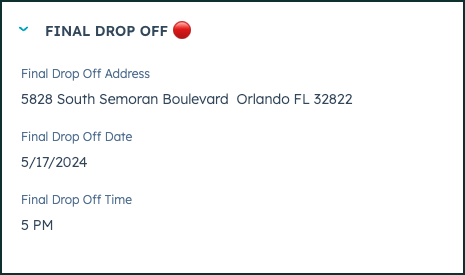
STEP 7 - Complete the FINAL DROP OFF🔴 section
Scroll down to the FINAL DROP OFF 🔴 section.
This will be the final drop off location for your round trip, overnight trip, or shuttle. This will always appear as the last line on your quote itinerary section. This must be entered in to make it a round trip, overnight trip, or shuttle.- Final Drop off Address
- Final Drop off Time
- Final Drop off Date
👍
Congratulations! You've successfully built your itinerary. Make sure you save all of your changes and then publish a quote for your customer!
IF YOUR TRIP NEEDS MORE THAN 5 LINES ON YOUR ITINERARY, PLEASE BUILD THE ITINERARY OUT UNDER THE COMPLETE ITINERARY FIELD (LOCATED UNDER TRIP DETAILS).
Need Support?
Please visit our Support page and submit a ticket, view knowledge base articles, etc. Or send us an email at helpme@stratfordberkshire.com to open a new ticket.
