

This article will explain how to clone a trip in HubSpot.
STEP 1 - Go to the Deal
Navigate to the deal of your choice. (Sales → Deals → Select the deal of your choice.)
STEP 2 - Go to the Trip Details section
On the left side, scroll down to the Trip Details section.
Navigate to the "Clone this trip" option.
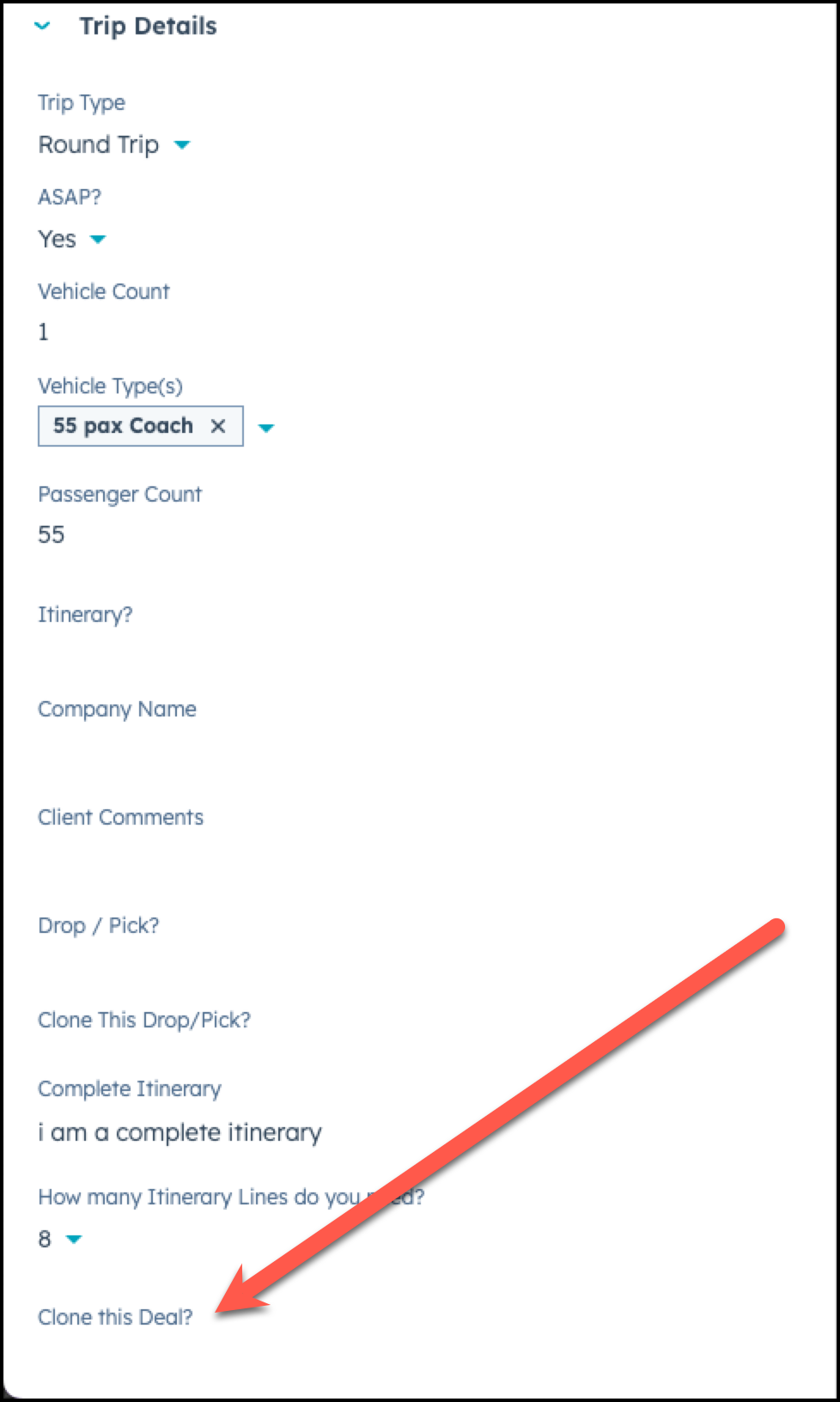
STEP 3 - Select "Yes" for Clone This Trip
Choose "Yes" to the question, "Clone This Trip".
Hit Save.
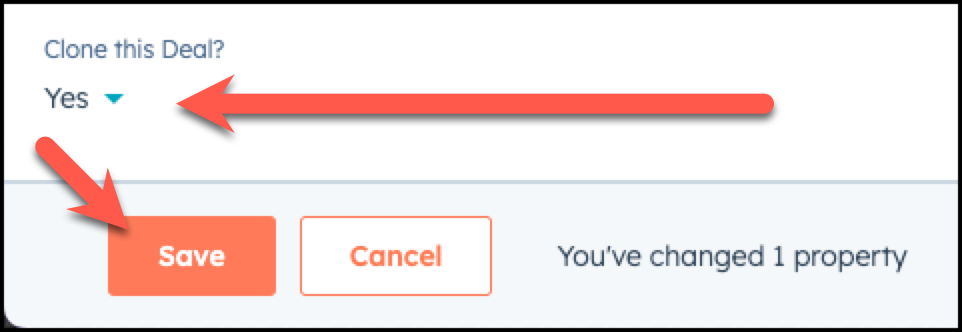
IMPORTANT: Once you save this, the quote will automatically be cloned. To know if it is successful, please navigate to the contact and check to see if you have a new cloned quote, or check your email for confirmation that the trip has been successfully cloned.
Need Support?
Please visit our Support page and submit a ticket, view knowledge base articles, etc. Or send us an email at helpme@stratfordberkshire.com to open a new ticket.