Step 1: Review & Complete Assigned Task
Once your pickup date for the trip has gone past 1 day, you will be assigned a task, as the owner of the deal, to send out the feedback email template to your client. DO NOT mark this task as complete, if you do not send out this email to the customer.
Step 2: Click Email from the Deal
From the deal screen, please click "Email" to open up the email window.

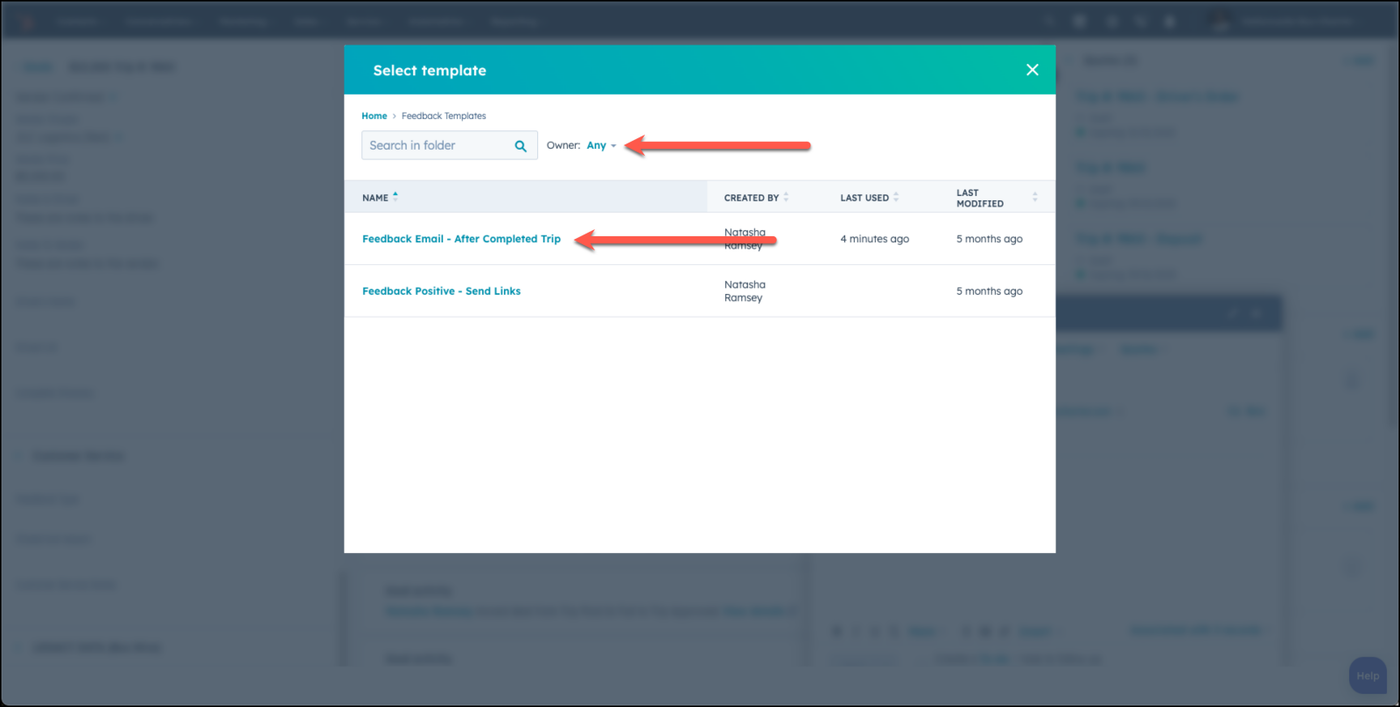
Step 3: Choose the Feedback After Completed Trip Template
Choose the Feedback Templates folder and then choose Feedback After Complete Trip template.
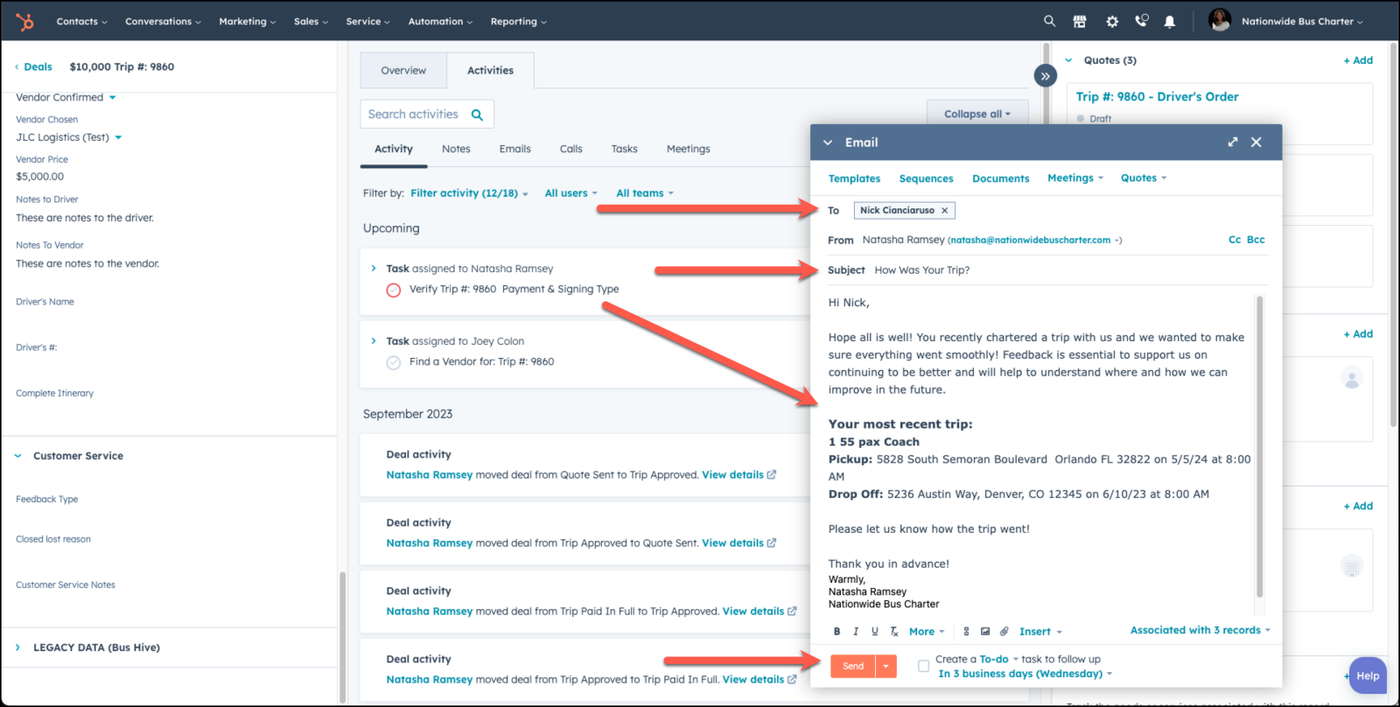
Step 4: Review Email & Send
Review the email, make any modifications needed, and choose send.
Once you receive the feedback from your client, you will then complete the following steps:
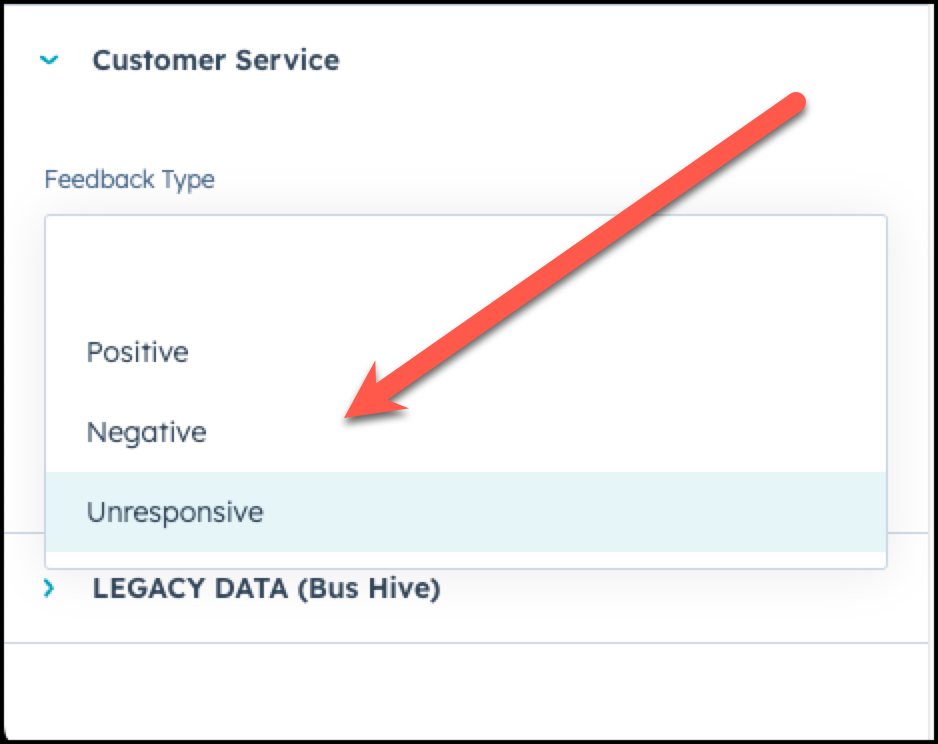
Step 5: Update the Feedback Type in the Customer Service Section
Under the Customer Service section of the deal, once your customer has given you feedback, update the feedback type to either Positive, Negative, or Unresponsive.
👍
Congratulations! You've successfully followed up for feedback with your client after a booked trip!
Need Support?
Please visit our Support page and submit a ticket, view knowledge base articles, etc. Or send us an email at helpme@stratfordberkshire.com to open a new ticket.