

This article will explain how to unsubscribe a contact as a marketing contact in HubSpot.
Step 1: Navigate to the contact
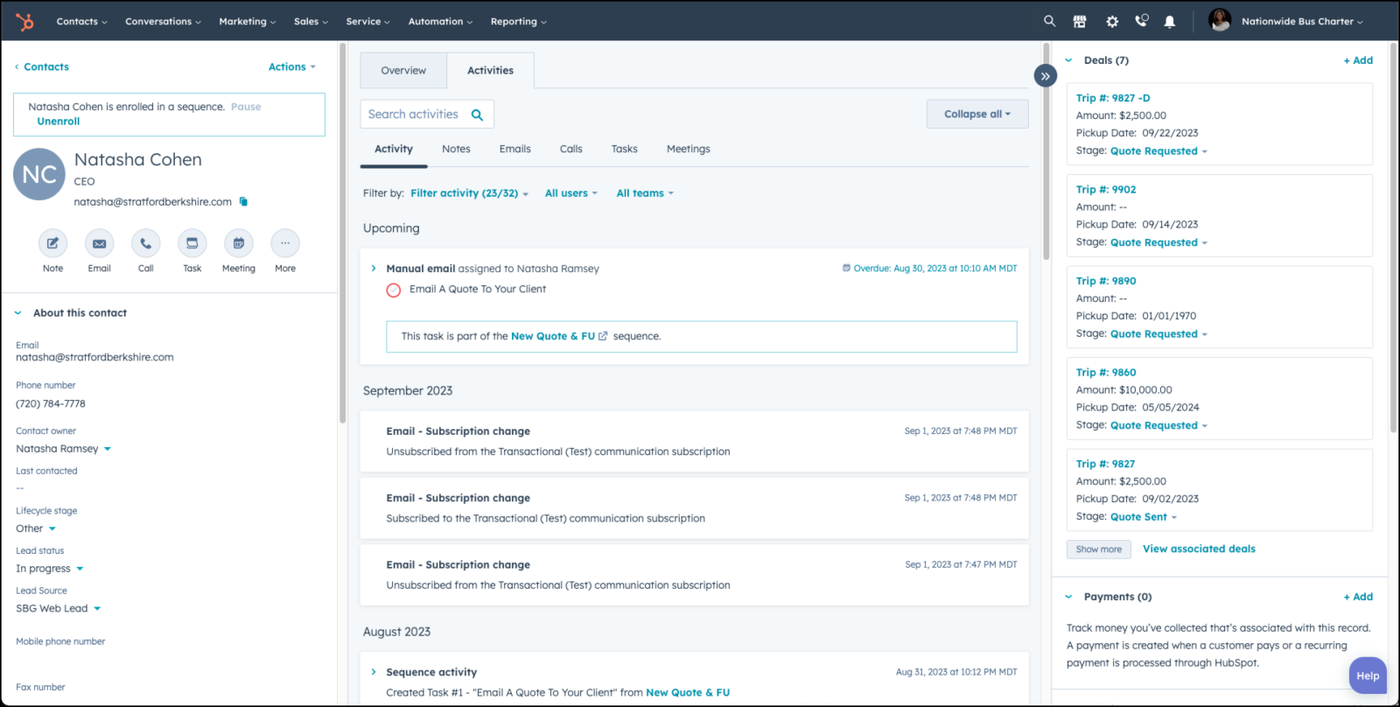
Go to the contact record.
Step 2: Scroll down to Communication Subscriptions
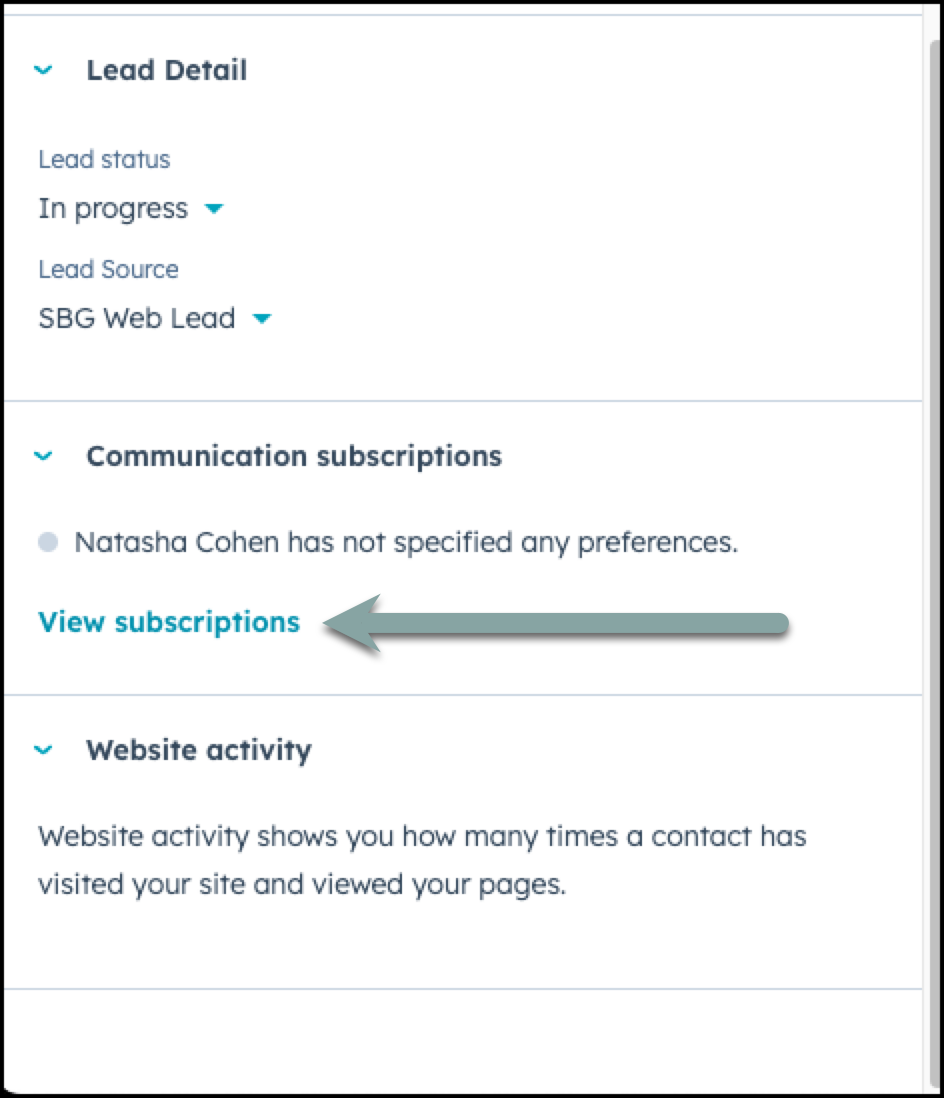
Scroll down on the left side to communication subscriptions and click the link View Subscriptions.
Step 3: Unsubscribe the contact from any subscribed marketing emails
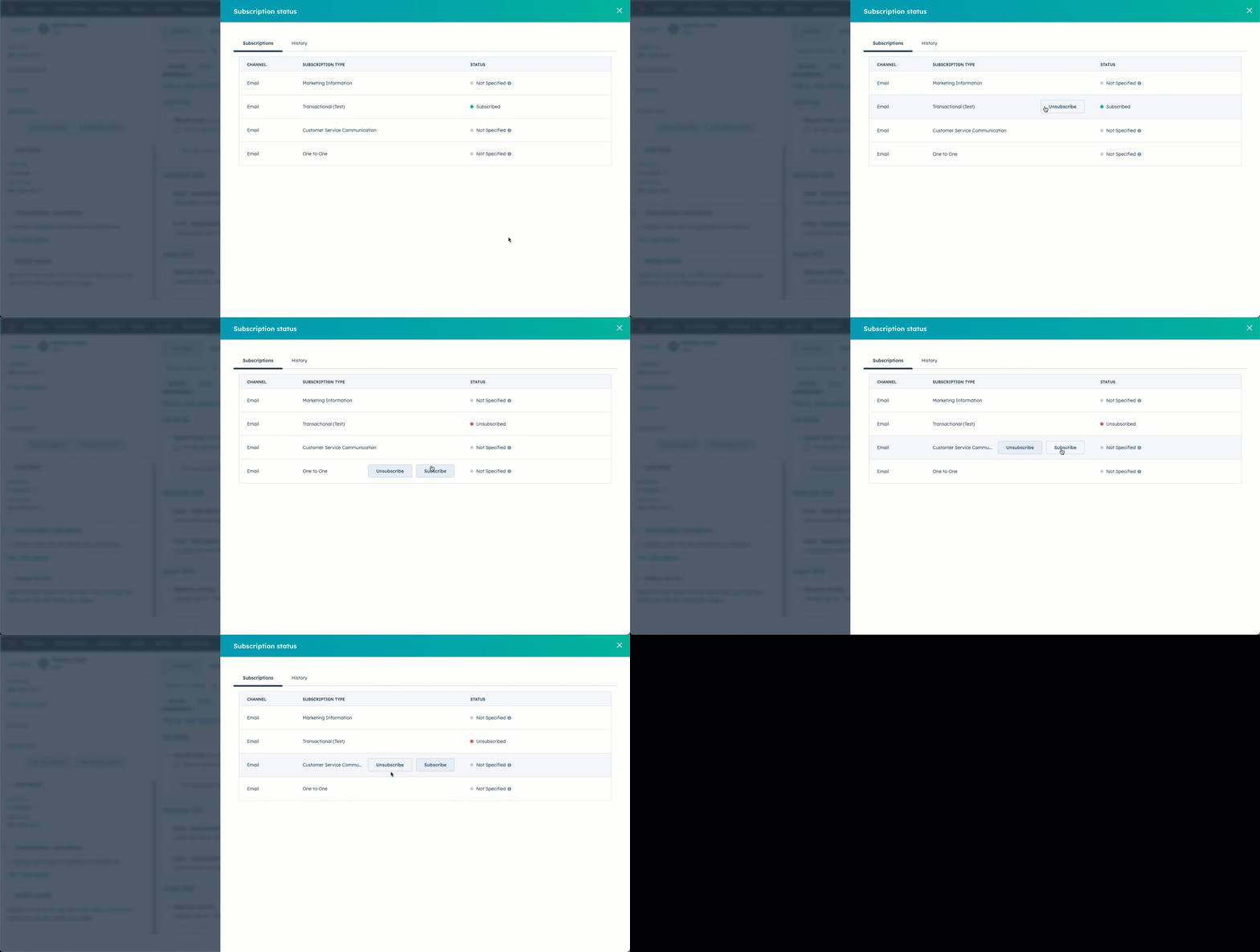
Hover over the name of the marketing communication type and choose Unsubscribe.
👍
CONGRATULATIONS! YOU'VE UNSUBSCRIBED YOUR CUSTOMER AS A MARKETING CONTACT.
Need Support?
Please visit our Support page and submit a ticket, view knowledge base articles, etc. Or send us an email at helpme@stratfordberkshire.com to open a new ticket.