

This article explains how to update the company notes section in HubSpot.
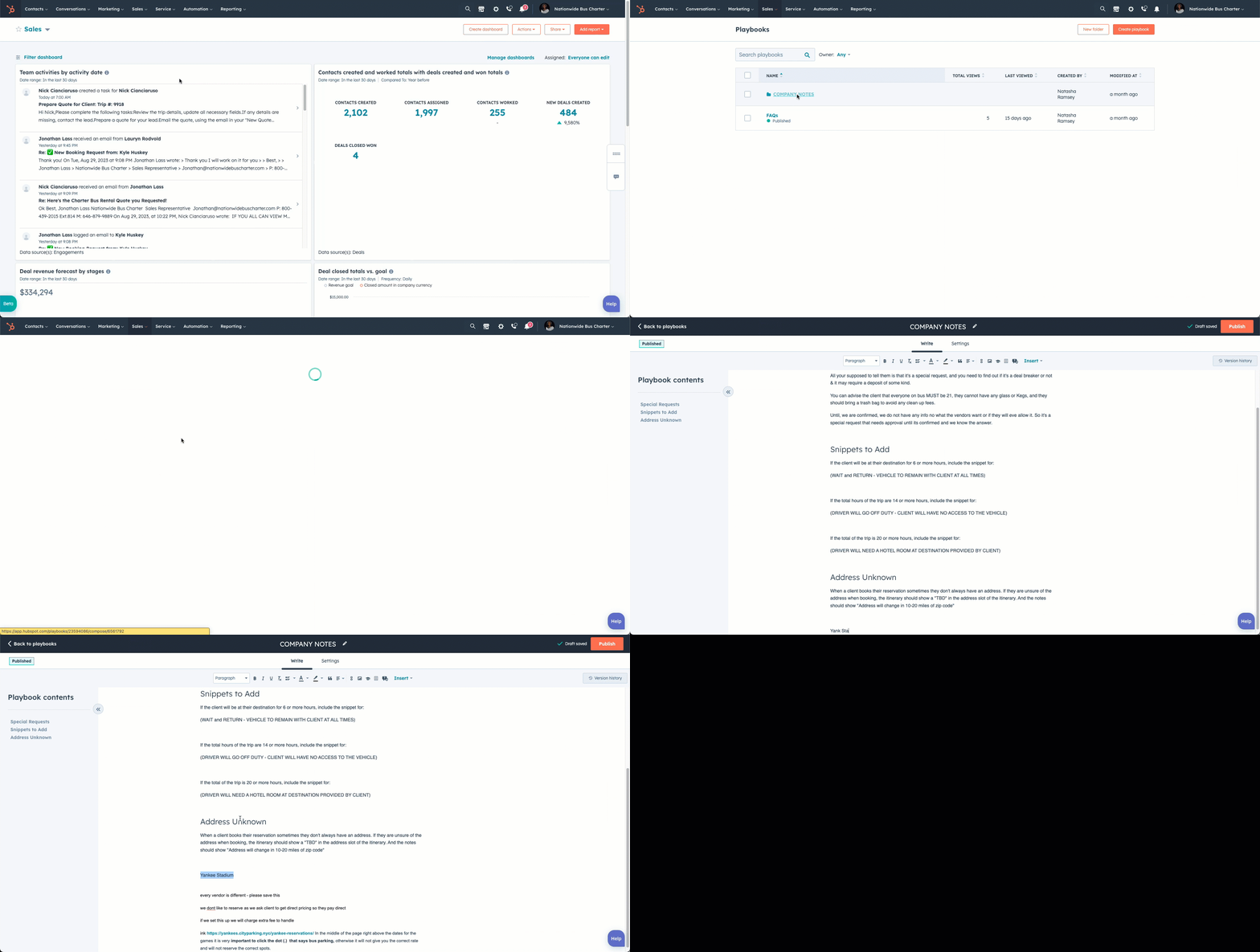
Instructions
- Navigate to Sales → Playbooks.
- Click on the folder COMPANY NOTES
- Click on the words COMPANY NOTES or hover your mouse, and under the button Actions choose Edit to edit the company notes.
- A new window will open. Scroll to the bottom, and add whatever notes you wish.
- At the top, choose "publish" to update your company notes.
👍
Congratulations! You've successfully updated your company notes!
Need Support?
Please visit our Support page and submit a ticket, view knowledge base articles, etc. Or send us an email at helpme@stratfordberkshire.com to open a new ticket.