

What is a Deal Stage?
Deal stages are the steps in your sales pipeline that signal to your sales team that an trip is moving toward the point of becoming a booked charter.
Why are deal stages important?
Deal stages will trigger certain automations to happen within your HubSpot. These automations may include certain marketing emails to go out to vendors or clients. These automations may be to help you move your trip along on the back-end. Without changing the stage correctly, you may fail your vendors and clients, and yourself, from making sure that the booking goes smoothly.
Furthermore, deal stages help with reporting. You will be able to quickly see how many trips have been requested, how many have quotes that have been sent out, how many have paid their deposit, how many have paid in full, how many have completed their trip, etc.
What are the deal stages in HubSpot for Nationwide Bus Charter?
- Quote Requested
- Quote Sent
- Trip Approved
- Trip Paid in Full
- Trip Completed
- Quote Not Booked
- Quote Canceled
- Trip Canceled
View below for the descriptions of these deal stages
Nationwide Bus Charter's - Deal Stages
Nationwide Bus Charter has a total of 8 deal stages. They are as follows:
Quote Requested
This is the first stage of a deal, when a cusotmer has requested a quote, but nothing has been sent out yet to them.
Quote Sent
When you have sent a quote to your customer, change the stage to quote sent.
Trip Approved
When a trip has had their deposit paid, or they have agreed to the terms and conditions, change the stage to trip approved.
Trip Paid In Full
When a customer has made their payment in full, please change the stage of Trip Paid in Full.
Trip Completed
After the trip has been completed, please move the status to Trip Completed.
Quote Not Booked
If you receive feedback from the customer that they will not be booking this trip, or if it has been past the expiration date of the trip, move the deal stage to Quote Not Booked.
Quote Canceled
If a customer is asked to be placed on a do not call list.
Trip Canceled
If a trip has been approved or paid in full, and the customer needed to cancel the trip, please chagne the stage to Trip Canceled, and under customer service notes, on the left side, please explain why.
How do I change my deal stage?
There are a few ways to change your deal stage in HubSpot, however, here are the most commonly used methods:
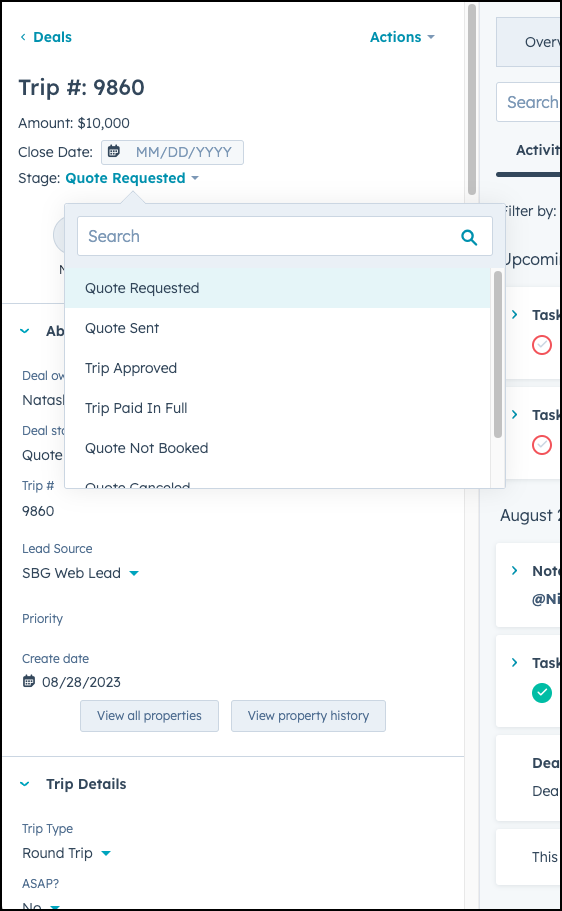
Update the deal stage on the upper left corner of the deal, by clicking on the deal stage name.
OR
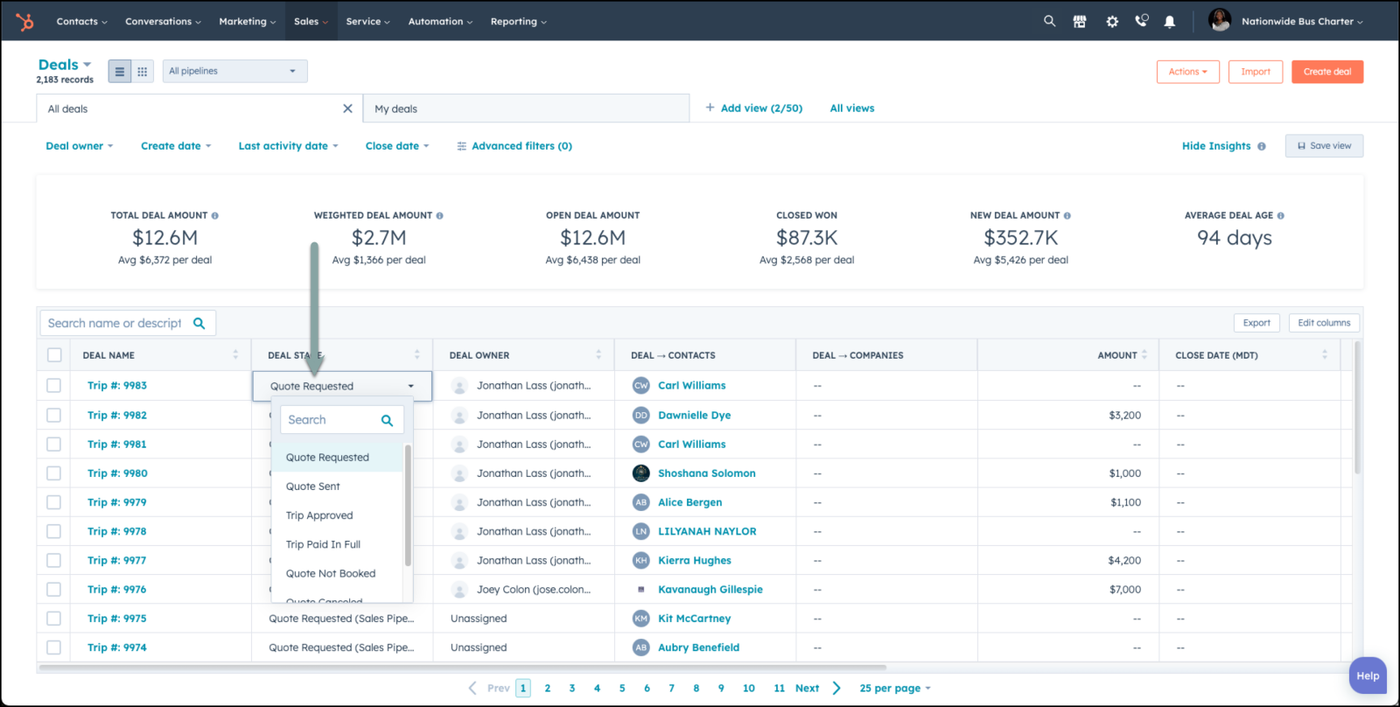
Update the deal name on the Deals landing page.
👍
Congratulations! You've successfully updated the deal stage!
Need Support?
Please visit our Support page and submit a ticket, view knowledge base articles, etc. Or send us an email at helpme@stratfordberkshire.com to open a new ticket.