First of All, What is Nextiva?
Nextiva is the VOIP phone service application that is used by Nationwide Bus Charter to receive and make phone calls to your customers.
How Do I Set up My Nextiva Account?
1. Download the Nextiva App
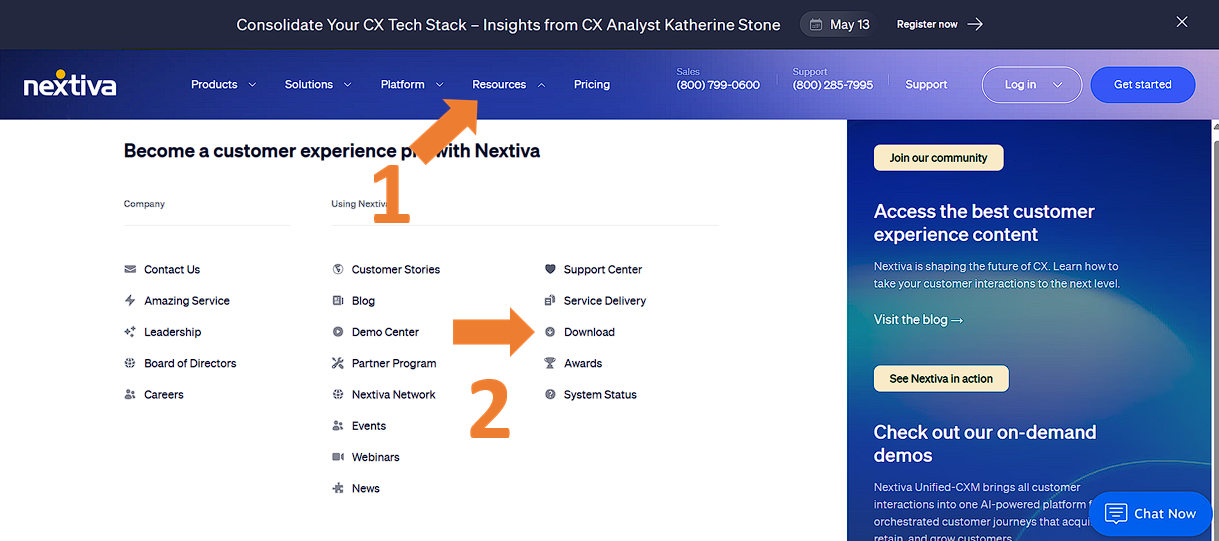
Visit the web nextiva.com, then click on 'Resources' and 'Download'
You will then go to the download page, scroll down and choose the install file based on the operating system that you use.
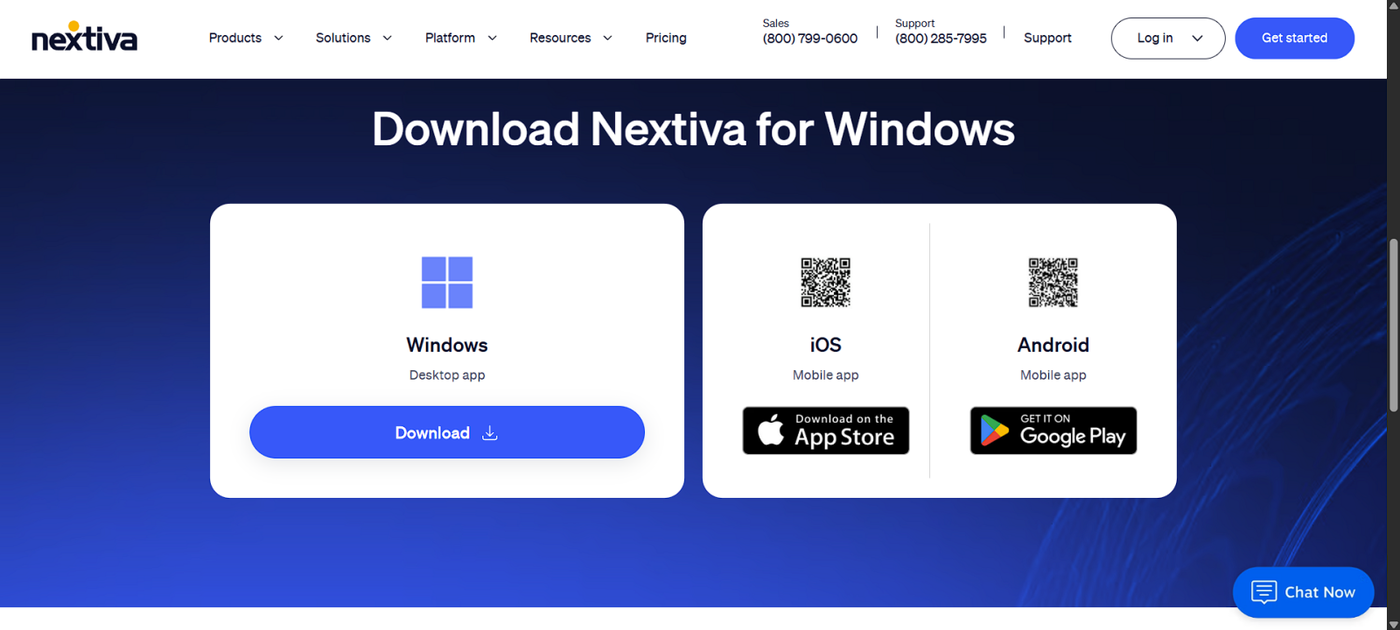
After you have downloaded the file, open it and install it on your device.
2. Activate your Account
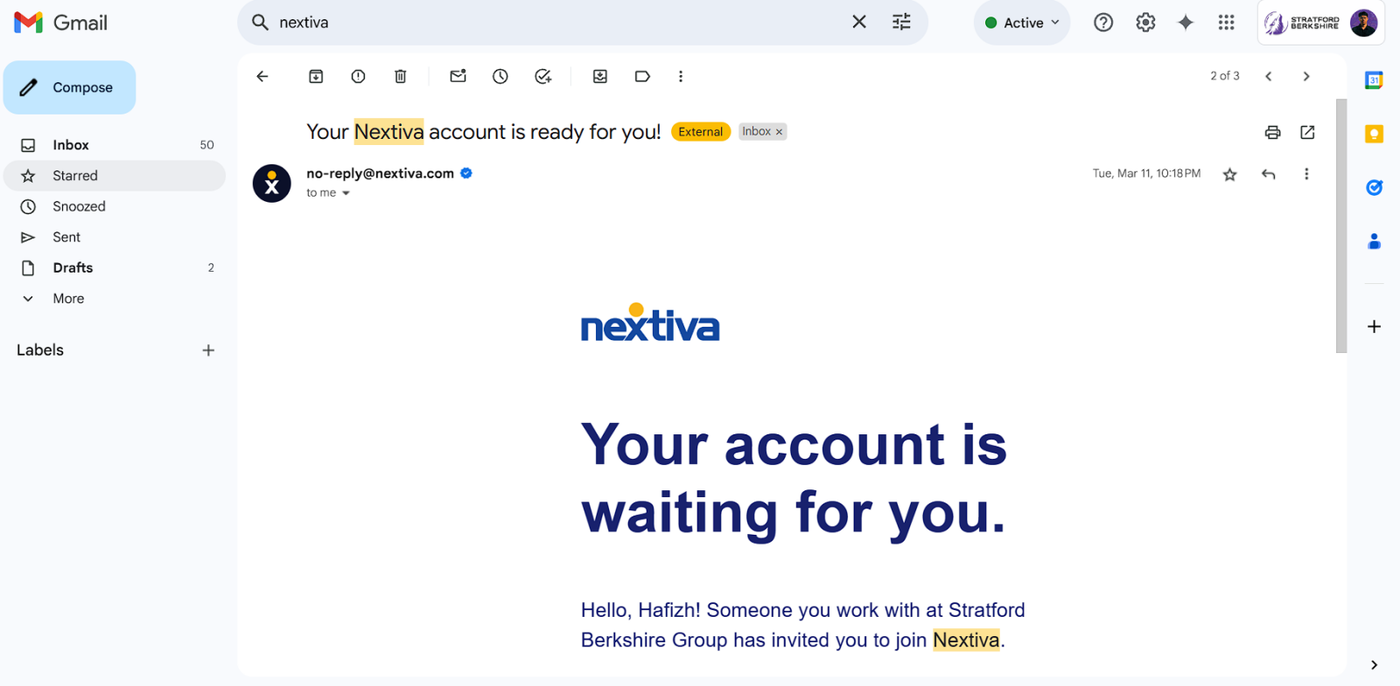
Check your email inbox. Your company should have sent you an invitation through Nextiva if they have coordinated with you to install it. Open up the email and click on 'Get Started' to start activating your account.

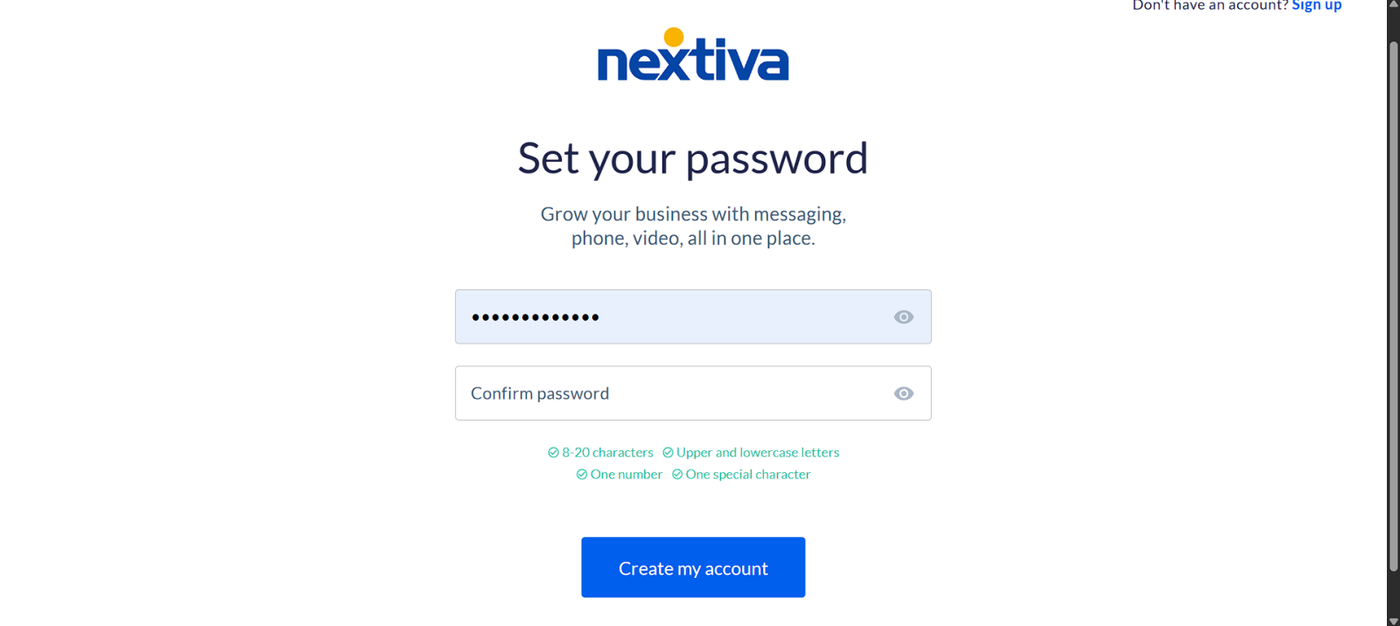
A new tab will open, and you need to create a new password for your account. Fill the password field and click 'Create My Account'.
3. Log In Through the App
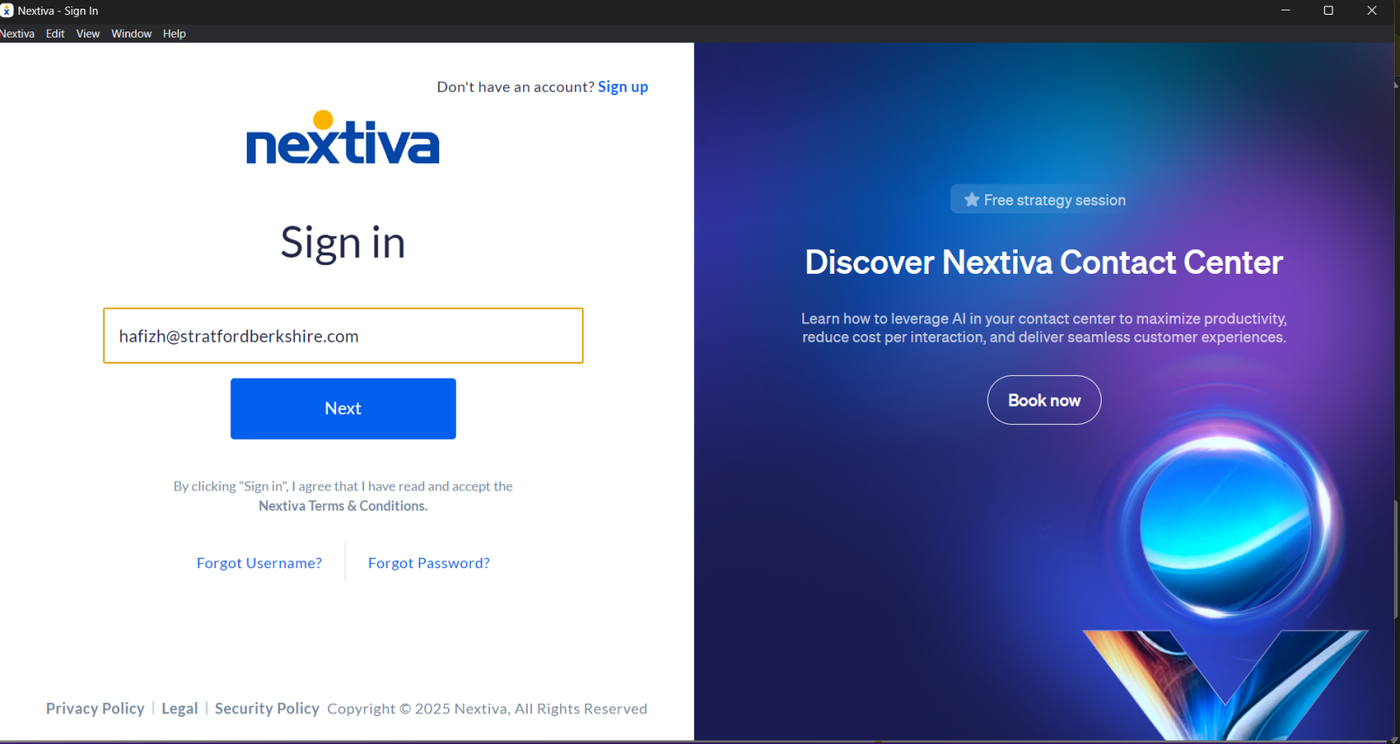
After successfully created your account, you can now sign in through the app that you've installed. Fill the username with your email and put your password to log in.
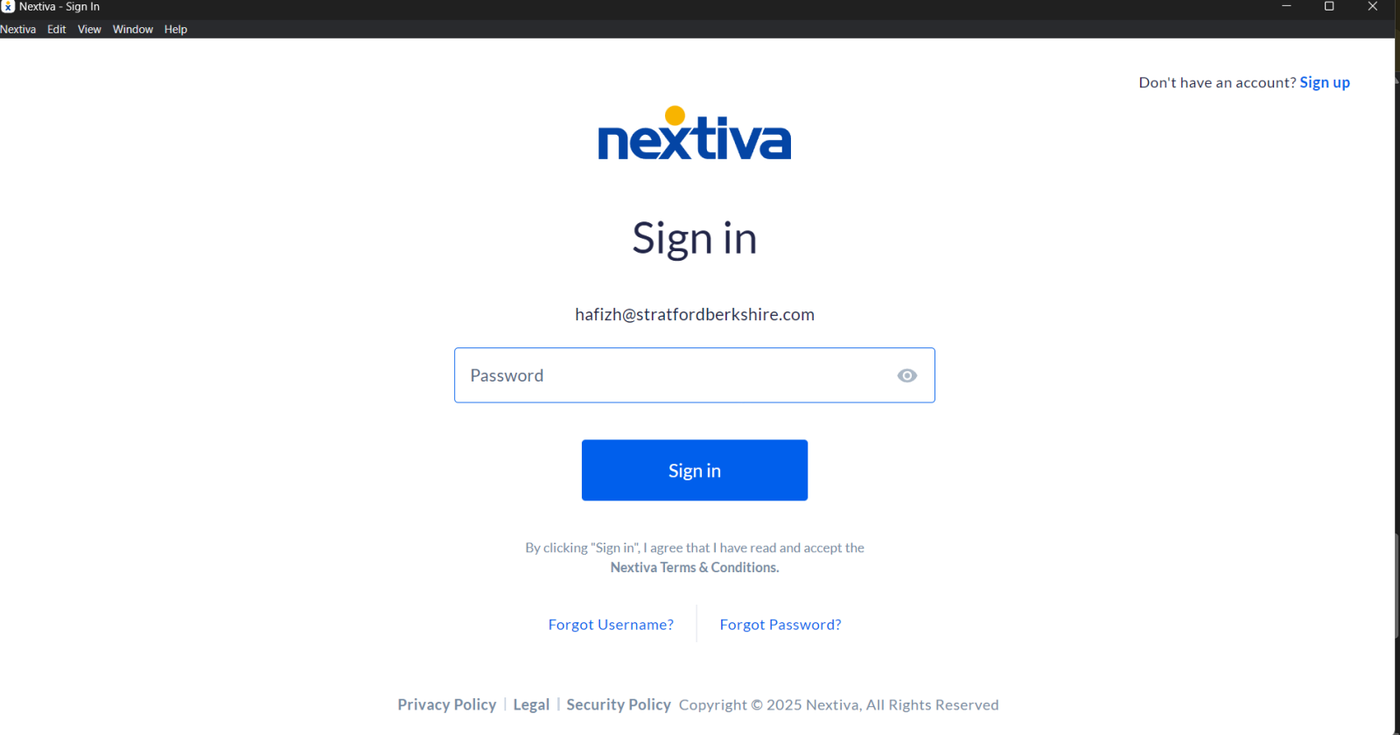
After that, you should now be able to access your account, and the process of activating your account is finished.
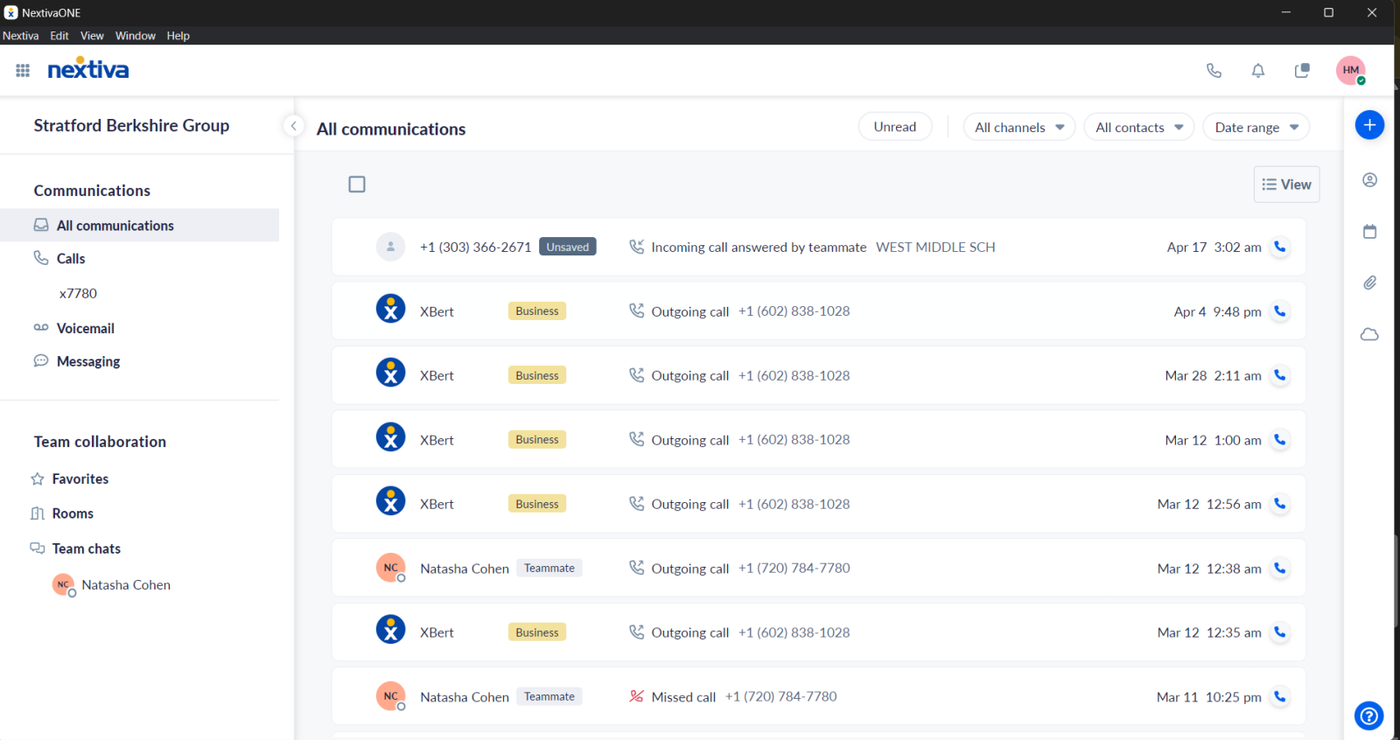
If you want your Nextiva account to be connected to HubSpot, please submit a ticket through our helpdesk HERE or send us an email at helpme@stratfordberkshire.com to open a request ticket.
CONGRATULATIONS! YOU'VE NOW ACTIVATED YOUR ACCOUNT!
YOU MAY NOW USE YOUR ACCOUNT TO RECEIVE OR MAKE A CALL FOR YOUR BUSINESS OPERATION.
Need Support?
Please visit our Support page and submit a ticket, view knowledge base articles, etc. Or send us an email at helpme@stratfordberkshire.com to open a new ticket.