

This article will explain how to pause or unenroll a contact that is currently enrolled in a sequence.
Want to understand how to enroll a customer in a sequence?
Want to understand how to enroll a customer in a sequence?
Step 1: Navigate to the contact that is enrolled in a sequence.
Go to the contact that is enrolled in a sequence. You can confirm if they are enrolled in a sequence by checking the content above their name. It will tell you if the customer is enrolled, or currently paused.
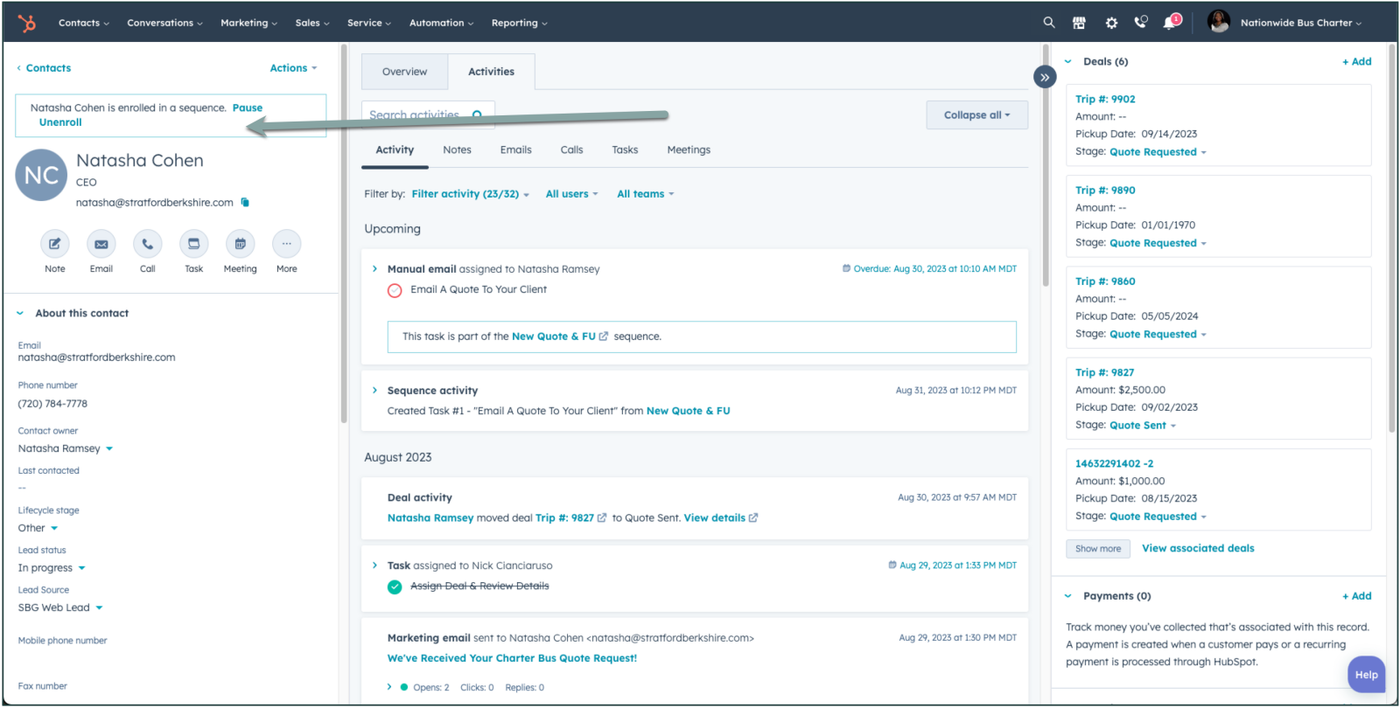
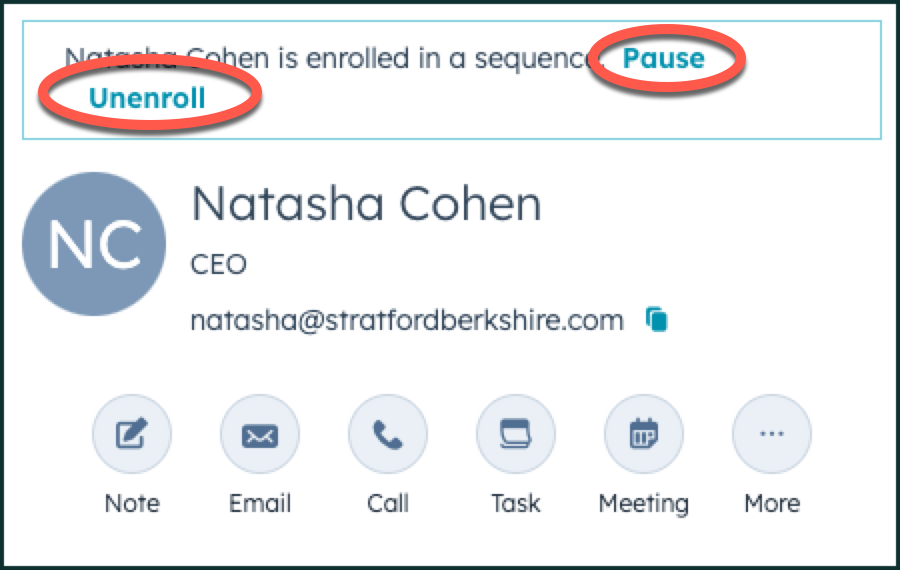
Step 2: Click on Pause or Unenroll
Click on either pause or unenroll, to either pause the sequence (no automated emails will go out), or unenroll the contact - so that it stops the sequence entirely. When choosing to unenroll, HubSpot may ask you to confirm that is what you want to do.
OF NOTE:
Sequences can only be stopped by the following:
Sequences can only be stopped by the following:
- A customer replies back to an email from a sequence
- A sales rep un-enrolls the customer from a sequence
- The sequence ends
There is no way to have sequences stop in any other way.
👍
Congratulations! You've successfully paused or unenrolled your contact in a sequence!
Need Support?
Please visit our Support page and submit a ticket, view knowledge base articles, etc. Or send us an email at helpme@stratfordberkshire.com to open a new ticket.