

What is a Waitlist?
As of May 2025, Nationwide Bus Charter has launched a Waitlist option for customers. This option will allow the sales rep to provide a quote to their customer, even if the dates or bus options are sold out at the moment. The customer will have the option to join a waitlist, without any payment being made to towards the trip, giving the sales rep time to source a bus.
How to Send a Waitlist Quote to the Customer?
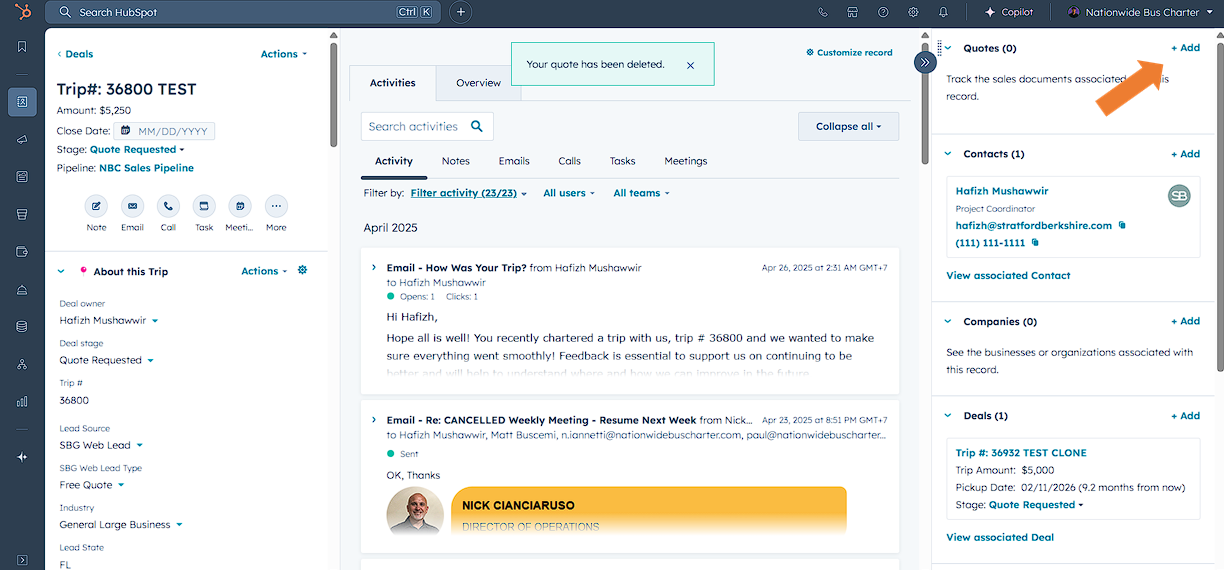
Please make sure all the details about your trip is completed under the deals page. Then click on Add Quote.
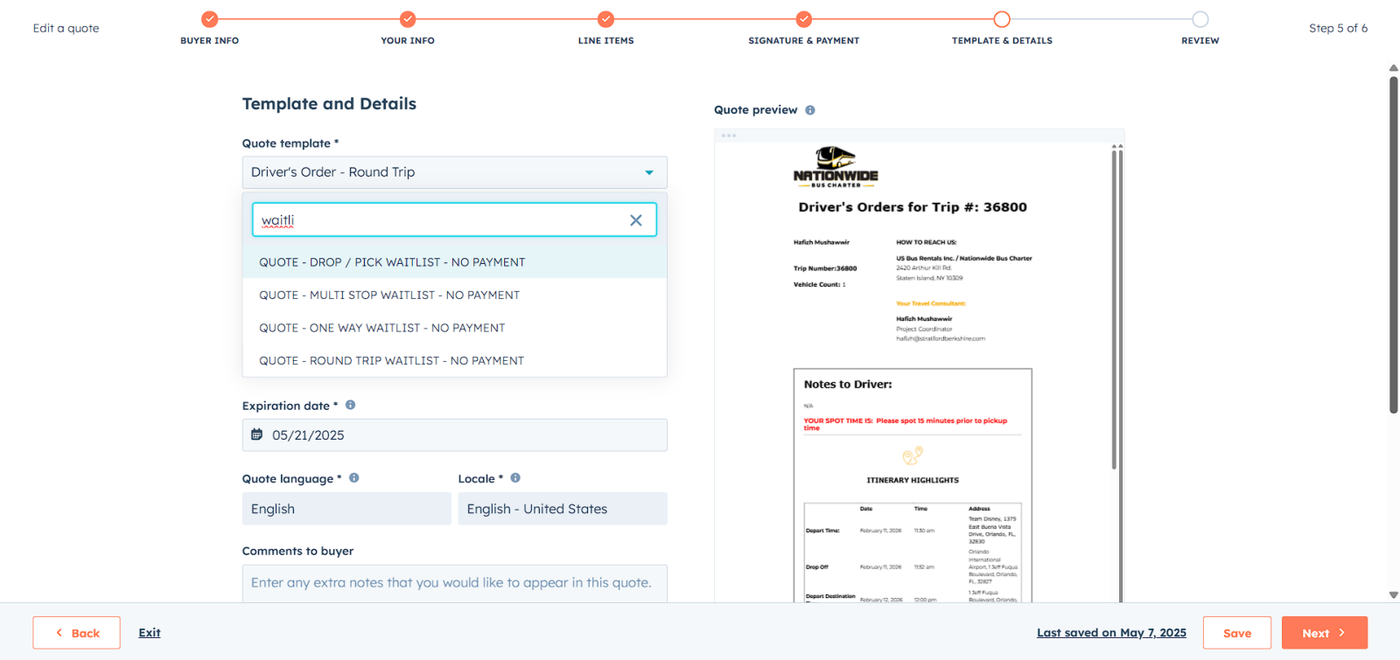
Proceed with drafting your one-way, roundtrip, overnight, shuttle, or multi stop trip as usual. Once you reach the Template & Details section, under the Quote Template please choose the correct Waitlist template that corresponds with the Trip Type.
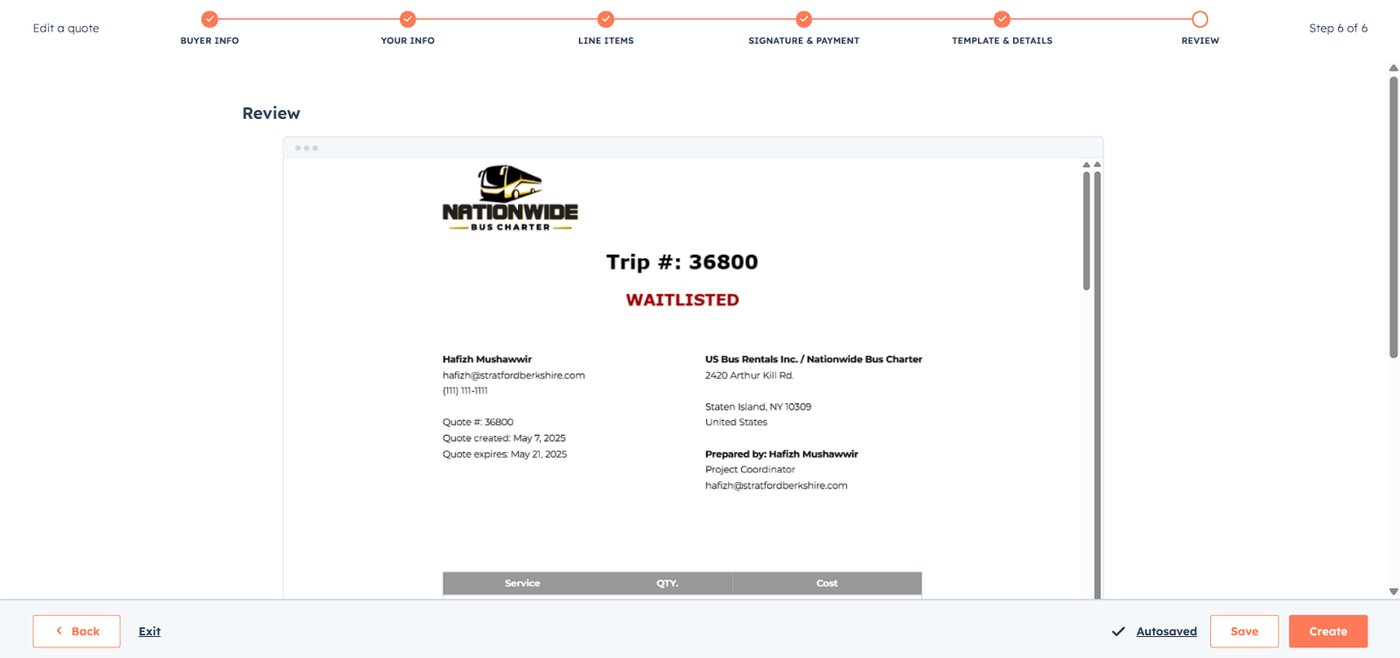
After you fill in all the details, review the quote, and you're ready to send.
How to Send a Waitlist Email to the Customer?
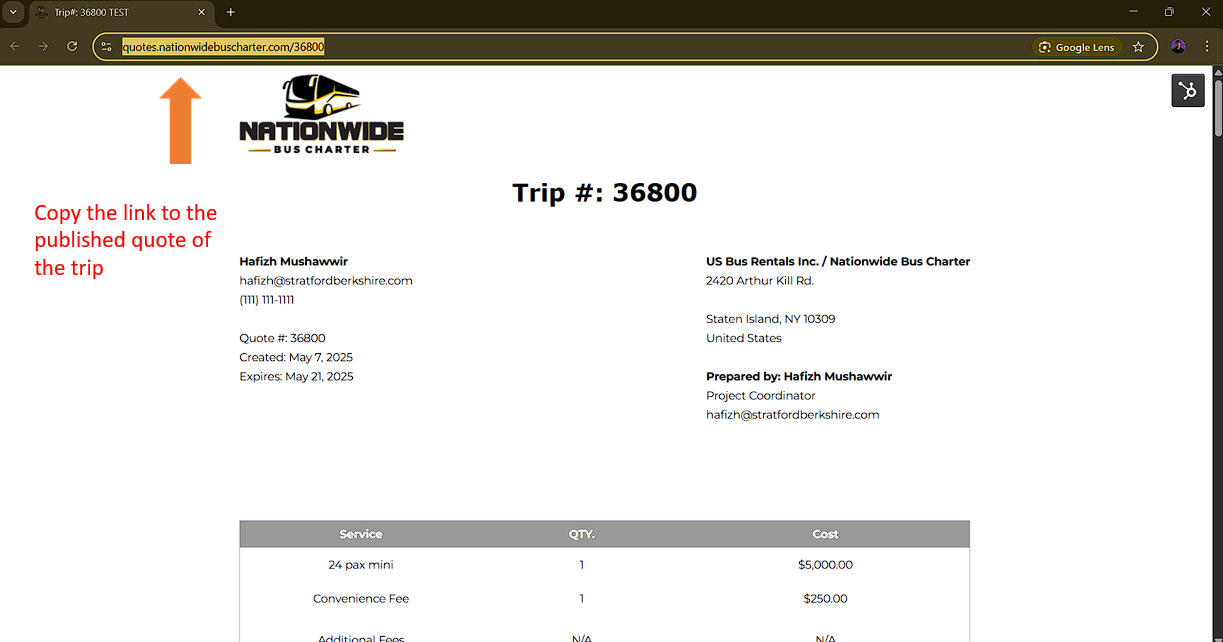
Before sending the template, you also need to attach the quote link to this email, you can do that by clicking on the quote that you've created and copy the URL.
Back to the deals page, select the email button. Then select 'Template' on the pop-up email window.
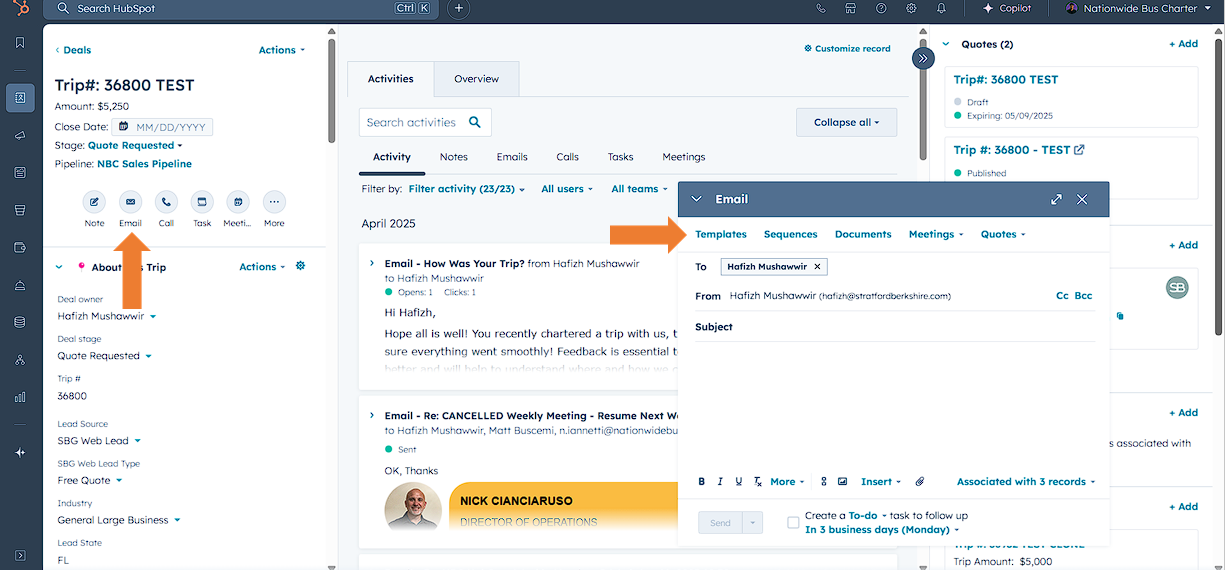
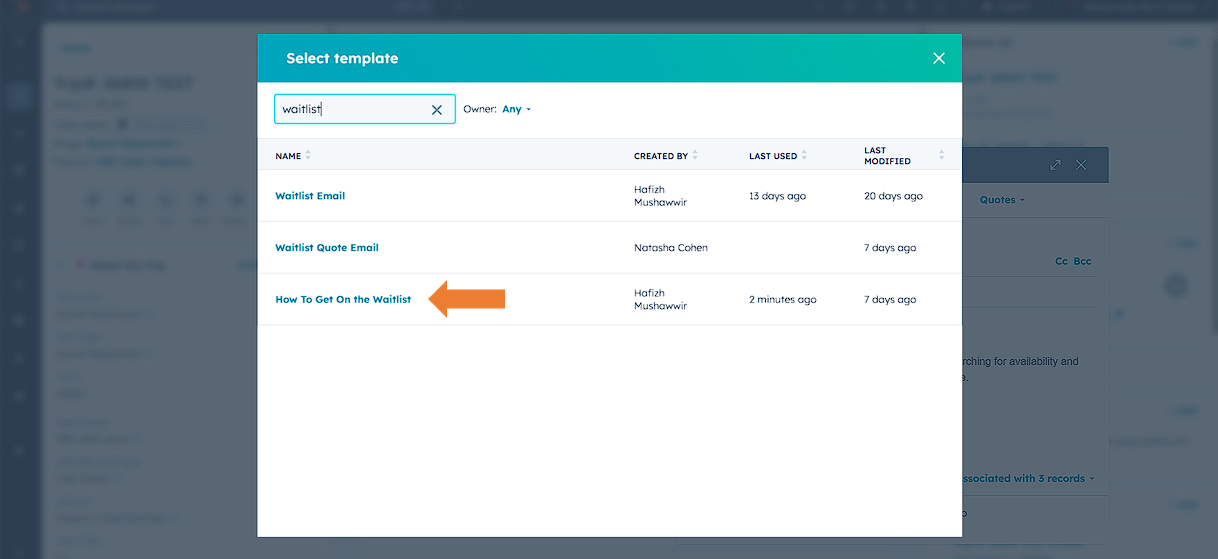
After that, please select the 'How to Get on the Waitlist' template.
When it's done, the template will be added to your email draft.
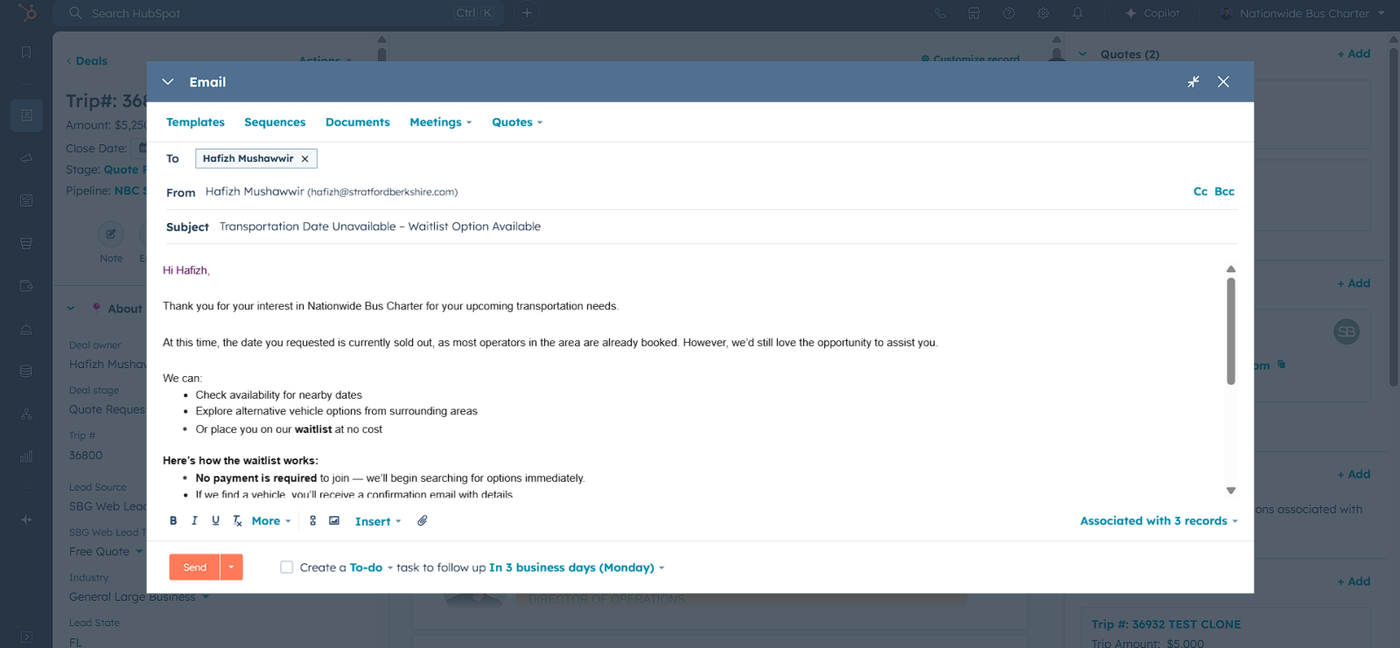
Type your own sentence explaining that the customer can check their quote by clicking the 'LINK', then block the word 'LINK'
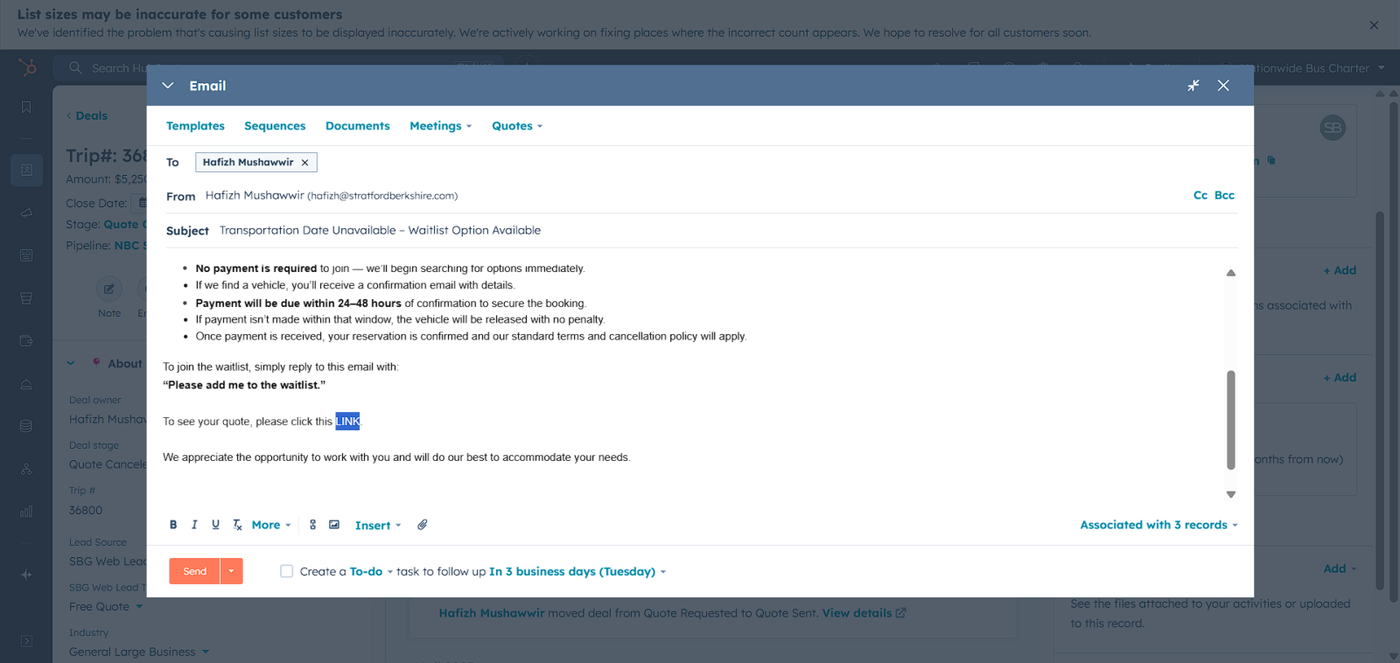
Click on the hyperlink icon, then paste your quote link to the URL field and click apply.
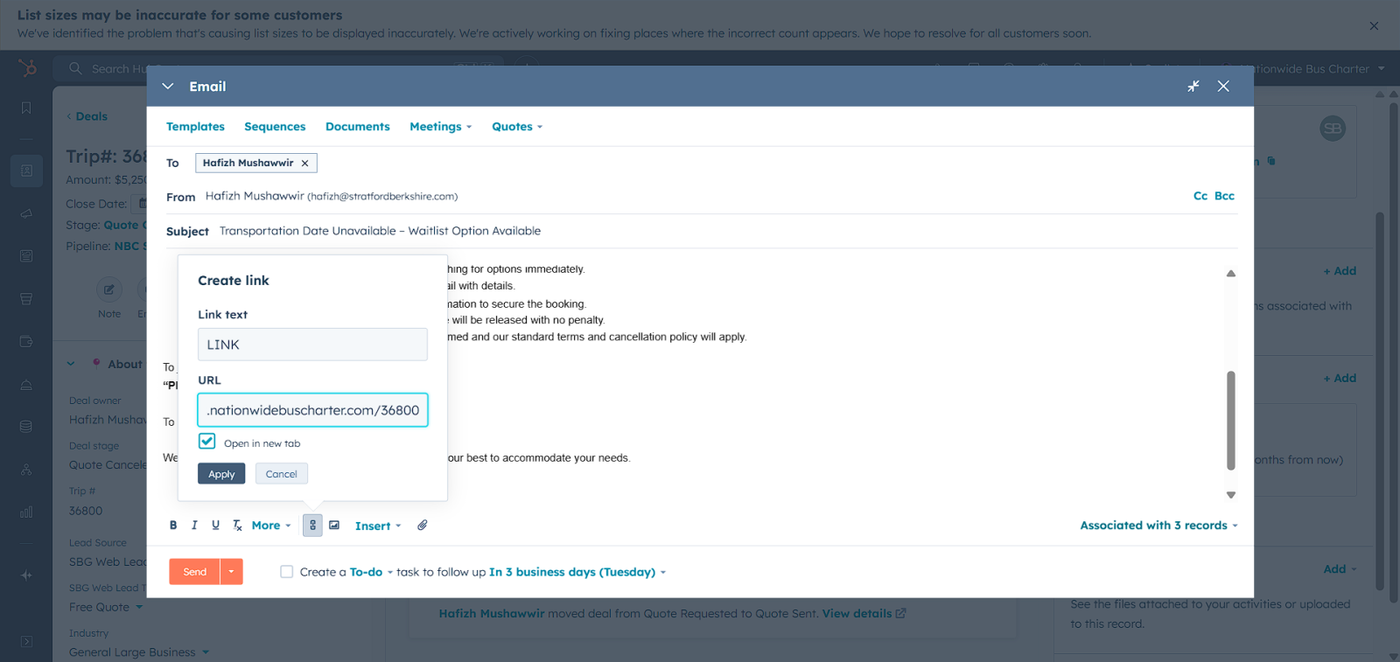
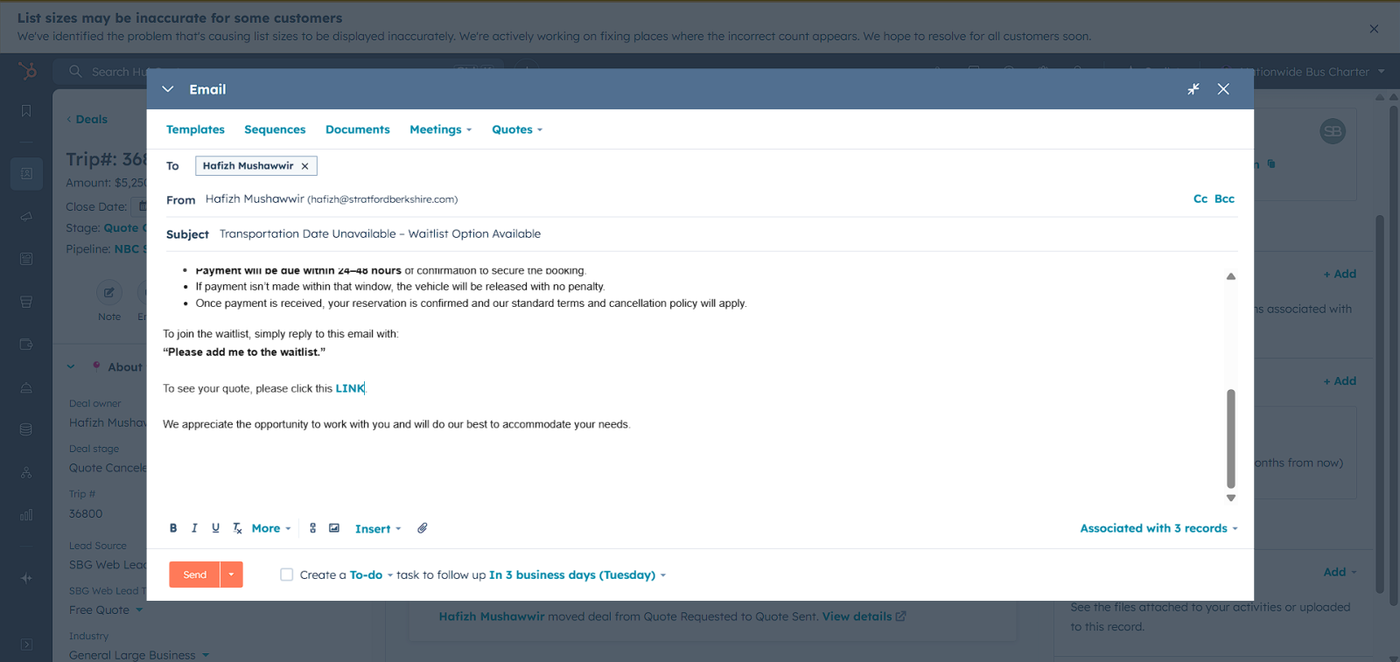
You've now finished adding the hyperlink to the email for the customer to see the quote. Review your email again and click send.
👍
Congratulations! You've successfully sent out the waitlist email and quote to the customer!
Need Support?
Please visit our Support page and submit a ticket, view knowledge base articles, etc. Or send us an email at helpme@stratfordberkshire.com to open a new ticket.
